[TL;DR]
Colocation lets you own your servers while renting professional data center space. You get enterprise security, redundant power, and reliable connectivity at predictable monthly costs without building your own facility. Best for businesses needing hardware control, compliance requirements, or predictable IT budgets.
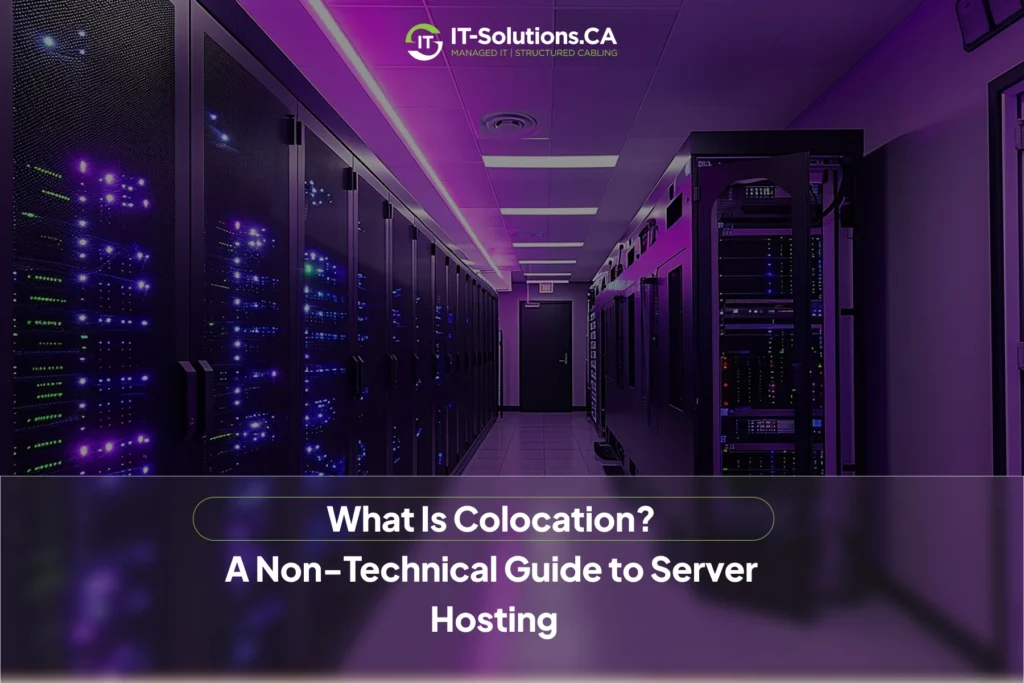
Colocation is a server hosting solution where businesses place their own physical servers in a third-party data center facility. Companies retain full ownership and control of their hardware while renting rack space, power, cooling, and internet connectivity from the provider. This arrangement delivers enterprise-grade infrastructure without the capital costs of building your own data center. Running your own servers feels overwhelming sometimes. You’re worried about power outages, internet reliability, physical security, and those sky-high cooling costs just to keep equipment from overheating. Many businesses run servers in small office closets or back rooms that lack proper cooling, power redundancy, and security.
Many growing businesses face this exact challenge. Your IT needs are expanding, but building your own data center makes zero financial sense. You need enterprise-level infrastructure without the enterprise-level price tag.
Want to move your servers out of that office closet? IT-Solutions.CA helps businesses upgrade to secure colocation in our Toronto facility. We provide rack space, power, cooling, and connectivity, plus optional IT services and support, so your hardware runs reliably without the overhead of running your own data center.
Colocation vs. Other Hosting Options: What’s the Difference?
Colocation sits between several hosting options, each with distinct advantages. Knowing these differences helps you choose what actually fits your business needs and budget.
Colocation vs. Cloud Hosting: Control vs. Flexibility
Cloud hosting and colocation serve different business priorities. Cloud hosting services provide virtual servers managed entirely by the provider with resources that scale up or down based on demand.
Colocation gives you physical hardware you own and control completely. You decide on specifications, operating systems, and configurations. Cloud offers flexibility and convenience but less control over the actual infrastructure.
Key differences include:
- Hardware ownership: You own servers with colocation, and rent virtual resources with cloud
- Control level: Complete hardware control vs. provider-managed infrastructure
- Cost structure: Fixed monthly fees vs. usage-based pricing
- Scalability: Physical upgrades needed vs. instant resource scaling
Did You Know? Companies using colocation report 40% lower total cost of ownership compared to building their own data centers, while maintaining the same level of control as on-premise servers.
Colocation vs. Managed Hosting: Your Hardware, Our Support
Managed hosting providers own the servers and handle everything from hardware to software maintenance. You essentially rent their equipment and expertise as a complete package.
Colocation means you buy and own your servers, then place them in the provider’s facility. You handle server configuration, updates, and software management. The facility provides space, power, cooling, and internet connectivity.
Important distinctions:
- Equipment ownership: Your hardware vs. the provider’s hardware
- Monthly costs: Lower fees vs. higher all-inclusive pricing
- Technical responsibility: You manage software, vs. the provider handles everything
- Flexibility: Custom configurations vs. standardized setups
Colocation vs. In-House Servers: A Space and Security Solution
In-house servers live in your office building, consuming your space, power, and attention. You handle everything from physical security to fire suppression to backup power systems. Colocation moves those same servers to a professional facility built specifically for this purpose. The data center provides redundant power, industrial cooling, physical security with biometric access, and multiple internet connections.
Major advantages of colocation:
- Professional infrastructure vs. makeshift server closets
- Redundant power and cooling systems
- Enhanced physical security measures
- Freed office space for productive use
- Lower utility costs and predictable expenses
Note: A single hour of server downtime costs small businesses an average of $8,000 in lost productivity and revenue. Professional data centers maintain 99.99% uptime through redundant systems that your office simply cannot match.
How Does Colocation Work? (A Simple Step-by-Step Breakdown)
Colocation might sound technical, but the process is simple. You’re essentially renting secure, well-equipped data center space built to keep your servers powered, cooled, and running perfectly.
The Basic Colocation Setup: What Do You Need?
You need your own server hardware first. This includes the physical servers, networking equipment like switches and routers, and any specific configurations your business requires. The setup process involves choosing your provider, signing agreements, and moving equipment safely. Many providers offer installation services where their technicians rack and connect your servers professionally.
Essential components for colocation:
- Physical servers and networking equipment
- Signed contract with space and power specifications
- Remote management tools and secure access
- Transportation and installation arrangements
- Monitoring software for performance tracking
Understanding Your Hosting Plan: Rack Space, Power & Bandwidth
Colocation pricing depends on three main factors you’ll see in every quote. Rack space measures how much physical room your servers occupy, usually in rack units or partial/full rack configurations.
Power allocation defines the maximum amount of electricity your equipment can use. Data centers bill per amp or kilowatt since power and cooling are their largest operating costs. Your servers’ power consumption directly impacts your monthly bill.
Core pricing factors:
- Rack space: Measured in units, quarters, half, or full racks
- Power consumption: Billed per amp or kilowatt hour
- Bandwidth allocation: Data transfer speeds and monthly limits
- Additional services: Remote hands, backup solutions, monitoring
Pro-Tip: Plan for a bit more power and bandwidth than you need right now. This upfront buffer usually costs less than future upgrades and helps you avoid downtime as you grow.
Looking to get the benefits of a professional data center without building one yourself?
IT-Solutions.CA offers Toronto colocation services with flexible rack space, reliable power, and redundant connectivity. We can assist with IT assessments and network cabling to get your equipment online quickly and correctly. You stay in control of your hardware while we handle the facility side.
The Core Benefits of Colocation for Small Businesses
Colocation offers specific advantages that make sense for businesses outgrowing basic hosting but not ready for their own data center. These benefits directly impact your bottom line and operational reliability.
Enhanced Security and Reliability
Professional data centers provide security levels impossible to achieve in typical office buildings. Think biometric scanners, 24/7 security personnel, surveillance systems, and man-trap entries that prevent unauthorized access.
Infrastructure reliability comes from redundant systems designed to eliminate single points of failure. Professional IT services and support teams monitor everything continuously and respond immediately to any infrastructure issues.
Security and reliability features:
- Biometric access controls and 24/7 security staff
- Multiple power feeds from different utility substations
- Backup generators with days of fuel capacity
- N+1 cooling systems with redundant components
- Advanced fire suppression protecting electronics
- Environmental monitoring for temperature and humidity
Cost-Effectiveness: A Predictable IT Budget
Building your own server room requires a massive upfront investment. Commercial-grade cooling systems, backup power, fire suppression, security systems, and redundant internet connections cost hundreds of thousands of dollars before buying a single server.
Colocation spreads these costs across many clients. You pay a predictable monthly fee covering space, power, cooling, and connectivity. The predictability helps with financial planning since IT assessment services can accurately forecast infrastructure costs.
Financial advantages:
- Eliminated capital expenditure on infrastructure
- Predictable monthly operational expenses
- Shared costs across multiple tenants
- No emergency repair or maintenance surprises
- Lower utility rates through bulk purchasing
- Tax benefits from operational vs. capital expenses
Scalability for Future Growth
Your business grows, and your server needs to expand. Scaling is straightforward with colocation. Need more servers? Install them in your existing rack. Need more racks? The facility has space available.
Upgrading power allocation or bandwidth happens through simple contract adjustments. Professional network cable installation Toronto teams connect new equipment quickly and properly, ensuring optimal performance without the delays and complications of office-based installations.
Growth flexibility benefits:
- Easy addition of new servers to the existing space
- Quick power and bandwidth upgrades
- Available expansion space within the facility
- No construction or renovation delays
- Seasonal capacity adjustments are possible
- Professional installation and configuration support
Is Colocation Right for Your Business?
Colocation works brilliantly for some businesses and poorly for others. An honest evaluation of your specific situation determines whether this hosting model fits your needs.
Key Factors to Consider Before Choosing
Evaluate your technical expertise first. Colocation requires someone who can manage servers remotely, troubleshoot issues, and perform updates. If your team lacks these skills, managed hosting might suit you better.
Consider your hardware needs and budget structure carefully. Your financial preferences and technical requirements influence which hosting model delivers the best value.
Critical evaluation points:
- Internal technical capabilities and expertise
- Specific hardware or compliance requirements
- Budget structure preferences (CapEx vs. OpEx)
- Growth projections and scalability needs
- Data control and security requirements
- Geographic location and latency considerations
Questions to Ask a Colocation Provider
Ask about their uptime guarantee and what compensation you receive during outages. Reliable providers offer service level agreements with specific uptime percentages and credits for failures. Understand their physical security measures and support capabilities thoroughly. These factors directly impact your operational reliability and data protection.
Essential provider questions:
- What’s your guaranteed uptime SLA and penalty structure?
- How many layers of physical security protect equipment?
- What remote hands services are available and at what cost?
- How many internet providers feed the facility?
- What’s your average response time for support tickets?
- Do you offer the compliance certifications we need?
- What disaster recovery and backup options exist?
Takeaway
Colocation bridges the gap between basic hosting and building a private data center. It delivers enterprise-grade infrastructure, security, and reliability while letting you retain full control over your servers and configurations.
The model works best for businesses with technical expertise, specific hardware needs, and a desire for predictable costs. You own your servers, control your data, and benefit from professional facilities without massive capital investment. Consider your technical capabilities, budget structure, and growth plans carefully. Colocation represents a significant commitment but delivers substantial benefits for businesses that fit the model. The right provider becomes a true infrastructure partner, not just a space rental service.
IT-Solutions.CA specializes in colocation for businesses that want the security and reliability of a professional data center without the cost of building one. Our Toronto facilities offer redundant power, cooling, and carrier connectivity, so your servers stay online and protected. We take care of the infrastructure so your team can focus on managing the servers and growing the business.
Frequently Asked Questions
What is colocation in server hosting?
Colocation is when a business places its own servers in a third-party data center, leasing space, power, and internet connectivity. The business retains full ownership and control over the hardware while benefiting from professional infrastructure.
How does colocation hosting work for clients?
Clients deliver their servers to the data center, where the facility supplies security, cooling, power, and network connections. The client manages and maintains the actual servers remotely while the facility handles physical infrastructure.
What are the main benefits of colocation?
Colocation offers advanced security, reliable infrastructure, high-speed connectivity, and significant cost savings by sharing data center resources. Businesses avoid building and running their own expensive facilities while maintaining complete hardware control.
Can small businesses use colocation, or is it just for large companies?
Small businesses can absolutely use colocation by renting a rack or part of a rack. This approach lets them take advantage of reliable, professional infrastructure even on a smaller scale and budget.
Author Profile

- Dedicated IT specialist with expertise in system administration, network security, and troubleshooting. Skilled at leveraging emerging technologies to boost efficiency, reduce risks, and ensure seamless IT operations while empowering teams to achieve their goals.
Latest entries
 BlogsNovember 24, 2025How Managed IT Services Protect Toronto SMBs from Cyber Threats?
 BlogsNovember 17, 2025What is Managed IT Support? Essential Guide for Toronto Businesses
 BlogsOctober 21, 2025How IT Security Awareness Training Can Protect Your Business?
 BlogsOctober 21, 2025What Is Colocation? A Non-Technical Guide To Server Hosting