Managed IT support is a proactive service where external IT experts monitor, maintain, and secure your technology infrastructure 24/7, preventing problems before they happen. Unlike break/fix services that respond after systems fail, managed IT provides continuous monitoring, cybersecurity protection, backup solutions, and strategic guidance at a predictable monthly cost per user.
Toronto businesses use managed IT support to eliminate surprise downtime, prevent costly security breaches, and access specialized expertise without hiring full-time IT staff.
Defining Managed IT Support: From Reactive Fixes to Proactive Strategy
Managed IT support shifts technology management from reactive troubleshooting to strategic prevention. Instead of calling technicians after a system crash, businesses receive continuous monitoring that identifies vulnerabilities before they become expensive problems.
This approach transforms IT from a cost center into a business enabler. Providers monitor servers, manage software updates, enforce security protocols, and plan technology roadmaps aligned with business goals. Partnering with an experienced IT support company gives businesses the technical depth they need without the overhead.
What is included in a managed IT support contract?
A typical managed IT support contract includes network monitoring, help desk, and managing cybersecurity services, data backup, and strategic IT consulting.
Standard contracts cover:
- Network and server monitoring with automated alerts for performance issues
- Help desk support via phone, email, or remote access for technical problems
- Patch management ensures operating systems and applications stay current
- Antivirus and endpoint protection across all devices
- Email security filters spam, phishing attempts, and malware
- Data backup solutions with regular testing of recovery procedures
- Cloud services management, including Microsoft 365 and cloud storage
- Hardware and software procurement assistance
- Strategic IT planning with quarterly business reviews
Pro-Tip: Before signing any contract, ask your provider to clearly outline what’s included versus what costs extra. Many businesses discover unexpected charges for services they assumed were covered. Quality IT support services Toronto providers are transparent about their pricing structure from day one.
Contracts specify response times through Service Level Agreements. Critical issues affecting multiple users might guarantee 15-minute response times, while non-urgent requests receive attention within four hours.
How is managed IT different from traditional break/fix IT?
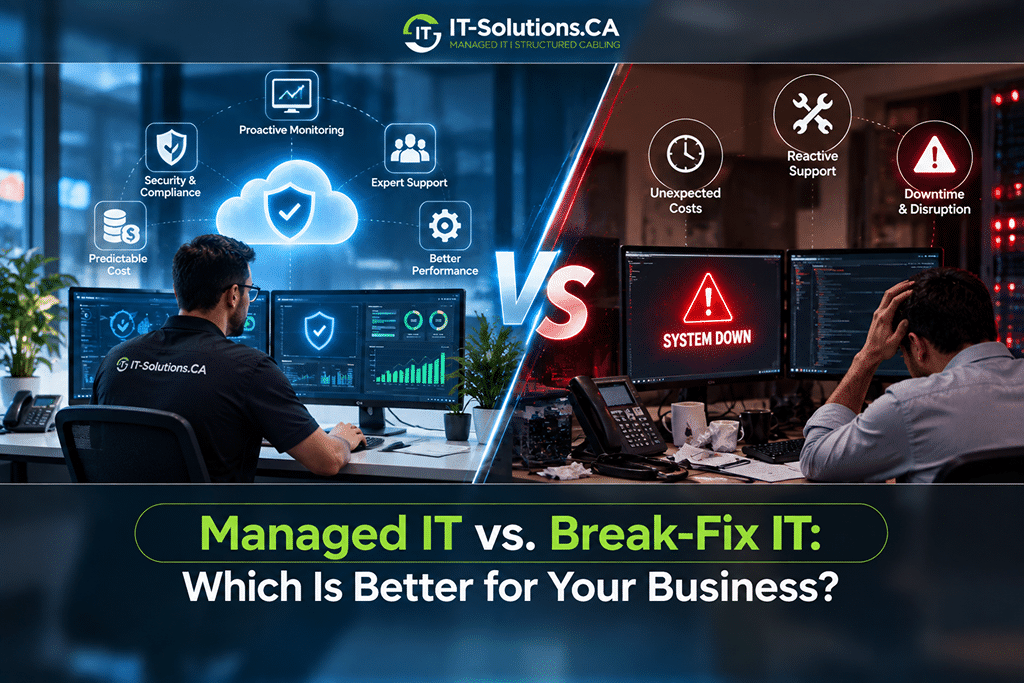
Managed IT support prevents problems through continuous monitoring, while traditional break/fix IT responds only after systems fail.
Key differences between the two approaches:
- Response Timing:
Break/fix IT operates like emergency room medicine, as you call technicians only when computers crash, networks go down, or software stops working. Managed IT functions like preventive healthcare, with providers monitoring systems constantly and catching issues before they impact your business.
- Cost Structure:
Traditional IT bills hourly for labor plus parts, creating unpredictable expenses that spike during emergencies. IT services and support through managed providers offer flat monthly fees, making IT costs as predictable as your rent or utilities.
- Downtime Philosophy:
Break/fix services accept downtime as inevitable, something to fix after it happens. Managed IT treats downtime as preventable through proactive monitoring, automatic security patches, and replacing aging hardware before failure.
- Knowledge Advantage:
Break/fix technicians start from scratch each time, learning your systems during the crisis. Managed providers already understand your environment, documentation, and history, allowing them to resolve problems significantly faster.
- Security Inclusion:
A single ransomware attack can cost tens of thousands to remediate under break/fix models. Managed contracts include ransomware prevention, employee training, backup systems, and disaster recovery as standard services, not expensive add-ons.
The True Value: ROI and Cost of Managed IT Services
Managed IT services often cost less than maintaining equivalent in-house teams while delivering stronger uptime and security outcomes.
Return on investment appears in multiple areas:
- Reduced downtime saves productive work hours across your entire team
- Security improvements prevent costly data breaches and ransomware attacks
- Strategic guidance helps avoid expensive technology missteps
- Predictable budgeting eliminates surprise repair bills
- Access to specialized expertise without full-time salaries
Security improvements prevent devastating breaches. The average small business data breach costs over CA$139,822, according to recent industry studies. Managed IT providers implement multi-layered defenses that individual businesses couldn’t afford independently.
Fact Alert! The 2017 WannaCry ransomware attack infected over 200,000 Windows systems worldwide, causing an estimated CA$5 billion in damages. In 2022, the SwissPost data breach exposed 1.6 terabytes of sensitive information. It was proof that even established organizations remain vulnerable.
Businesses of all sizes face similar threats daily. Proactive managed IT support with enterprise-grade security makes the difference between staying protected and becoming another statistic.
How much does managed IT support cost per user in Toronto?
Managed IT support providers in Toronto typically charge a few 100CAD per user monthly, depending on service depth and company size.
Company size affects pricing significantly. A 10-person business might pay more per user than a 50-person company for identical services. Providers offer volume discounts because fixed costs like monitoring infrastructure are spread across more users.
Additional factors include:
- Geographic location within the Greater Toronto Area
- Industry compliance requirements for healthcare or finance
- Existing infrastructure condition and complexity
- Special requirements like 24/7 support or rapid on-site response
Some providers quote flat monthly rates instead of per-user pricing, particularly for very small businesses where minimum service costs exceed what three users would generate.
What is the ROI of outsourcing IT support (beyond just saving on salaries)?
Outsourcing IT support delivers substantial ROI through reduced downtime, prevented security breaches, improved productivity, and strategic technology guidance.
Salary savings represent just the starting point. A single IT administrator in Toronto costs thousands of Canadian dollars. That individual provides coverage during business hours only and possesses limited specialized knowledge across all IT domains.
Managed providers deliver entire teams with diverse expertise for comparable or lower costs. For example, a company paying around CA$210 per user monthly for 20 users gains access to a full team of network engineers, security specialists, cloud architects, and help desk technicians, resources that would otherwise require multiple full-time hires.
Downtime reduction provides measurable returns:
- Preventing extended outages saves thousands in lost productivity
- Proactive monitoring catches issues before they escalate
- Faster problem resolution minimizes business disruption
- Redundant systems ensure continuity during failures
Security breach prevention offers significant ROI. Many small businesses close within months of major cyberattacks. Managed IT providers implement security controls that prevent the most common threats, protecting business continuity and customer trust.
Predictable Budgeting: Understanding Per-User and Flat-Rate Pricing
Managed IT support pricing typically follows per-user models, charging monthly fees per employee, or flat-rate models charging fixed amounts regardless of user count.
Per-user pricing scales naturally with business growth. This model works well for businesses with 10 to 200 users, including network monitoring, security management, help desk support, and data backup services. In contrast, flat-rate pricing benefits very small businesses under 10 users or those with highly variable user counts, like seasonal operations. A flat monthly fee provides predictability when headcount fluctuates.
Both models eliminate surprise repair bills. When hard drives fail, software needs upgrading, or networks require reconfiguration, costs are already covered.
Common exclusions to watch for:
- Hardware purchases are typically billed separately
- Third-party software licenses are not included in the monthly fees
- Major infrastructure projects are quoted as additional work
- On-site visits may incur extra charges depending on the contract tier
Toronto businesses should request detailed service catalogs showing exactly what the monthly fee covers and what triggers additional charges.
Core Pillars: Security, Uptime, and Strategic IT Consulting
Managed IT support rests on three foundational pillars: protecting business assets through cybersecurity, maintaining operational continuity through proactive system management, and aligning technology investments with business goals.
How do managed IT providers handle cybersecurity for small businesses?
Managed IT providers protect small businesses through layered security, including endpoint protection, firewall management, email filtering, employee training, and continuous threat monitoring.
According to projections by Cybersecurity Ventures, cybercrime could cost businesses around CA$14.7 trillion globally by 2025. For Toronto businesses, robust cybersecurity is essential for survival. Managed providers implement enterprise-grade defenses that protect against evolving threats.
Core security components:
- Endpoint Protection: Enterprise-grade software installed on every computer, phone, and tablet to detect and block most malware, flag suspicious behaviour, and receive constant updates against emerging threats.
- Patch Management: Automatic testing and deployment of operating system updates, application patches, and firmware upgrades across all devices to close vulnerabilities before hackers exploit them.
- Network Firewalls: Next-generation firewalls inspect all incoming and outgoing traffic, blocking malicious sources and suspicious patterns with rules that adjust as threats evolve.
- Email Security: Advanced filtering catches phishing attempts, malware attachments, and spoofed sender addresses before reaching employee inboxes, the top attack vector for small businesses.
- Employee Training: Quarterly security awareness sessions, phishing simulations, password best practices, and multi-factor authentication training to address the human element.
- Continuous Monitoring: Security operations centers watch for unusual login patterns, unexpected file encryption, or suspicious network traffic, with teams responding within minutes.
Want to protect your Toronto business from evolving cyber threats? IT Solutions Canada provides comprehensive security services that go beyond basic antivirus, implementing enterprise-grade defences tailored to small and mid-sized business budgets. Our certified security specialists monitor your systems around the clock, ensuring rapid response when threats emerge.
Do managed IT services include data backup and disaster recovery?
Managed IT services typically include automated data backup with tested recovery procedures, ensuring businesses can restore operations after hardware failures, cyberattacks, or disasters.
Standard backup approaches follow best practices: multiple copies of data on different media types with copies stored off-site. Providers automatically back up servers, workstations, and cloud data daily or hourly, depending on information change frequency.
Key backup features:
- Cloud-Based Solutions: Data is encrypted before transmitting to secure data centers with copies in multiple geographic locations, protected against physical disasters like fires or floods.
- Recovery Objectives:
- RTO (Recovery Time Objective) specifies system restoration speed, typically several hours for small businesses.
- RPO (Recovery Point Objective) determines acceptable data loss, usually 24 hours or less.
- Regular Testing: Quarterly restoration tests verify data integrity and backup effectiveness, preventing failures discovered only during actual emergencies.
- Ransomware Protection: Many providers use immutable or air-gapped backups that attackers can’t encrypt or delete, maintaining multiple backup versions so systems can be restored to pre-infection states.
Disaster recovery planning extends beyond data backup. Comprehensive plans document operational procedures during outages, system restoration priorities, and remote work protocols. Toronto providers help develop and test these plans for realistic recovery capabilities.
Tip: Don’t just assume your backups work; test them. Ask your provider to demonstrate a full system restore during the onboarding process. Watching your data and systems come back online from backup gives you real confidence that you’re protected when disaster strikes.
Is 24/7 IT support truly necessary for my small business?
24/7 IT support becomes necessary when businesses operate outside standard hours, rely on always-available online services, or cannot afford extended downtime from after-hours system failures.
Companies with evening or weekend operations require continuous support:
- Retail businesses with late hours need a reliable point-of-sale system reliability
- Restaurants are depending on online ordering and payment processing
- Professional services with global clients in different time zones
- Healthcare providers require constant access to patient systems
Online business operations demand constant availability. E-commerce sites, web applications, and online booking systems generate revenue around the clock. Downtime directly translates to lost sales. Managed IT providers with continuous monitoring detect and resolve issues before customers encounter problems.
Critical system failures don’t respect business hours. Server crashes, security breaches, or internet connectivity issues occurring overnight can cause significant damage by morning. Early detection and response minimize impact.
However, not every business requires full 24/7 support. A small professional office operating standard weekday hours might find adequate value in business-hours support with emergency escalation. After-hours monitoring continues, but human technician response occurs during defined periods unless true emergencies arise.
Cost considerations matter:
- Full 24/7 support with guaranteed rapid response costs significantly more than business-hours service
- After-hours monitoring without immediate human response provides a middle-ground protection
- Many providers offer tiered options, balancing cost against operational needs
The nature of your technology infrastructure influences the necessity. Businesses with simple setups and good redundancy tolerate brief outages better than those with complex interdependencies. Companies heavily dependent on specific applications or cloud services benefit more from continuous monitoring.
Choosing Your Partner: Vetting A Toronto Managed IT Provider
Selecting a managed IT provider requires evaluating technical capabilities, service responsiveness, industry experience, and cultural fit with your business operations. The right partner understands your industry’s specific challenges, communicates clearly in non-technical language, and demonstrates proven ability to improve technology outcomes.
What questions should I ask a Toronto-managed IT provider before hiring?
Essential questions for managed IT providers address technical capabilities, response procedures, staff qualifications, client references, and contract terms before making commitments.
Start with operational questions:
- What are your guaranteed response times for critical issues affecting multiple users?
- How do you handle after-hours emergencies, and who responds?
- What is your average client retention rate, and why do clients leave?
- Can you provide three references from Toronto businesses similar to ours?
- Which certifications do your technicians hold (Microsoft, CompTIA, Cisco)?
Probe security capabilities:
- How do you protect against ransomware specifically?
- What security awareness training do you provide our employees?
- How quickly do you deploy critical security patches?
- Do you provide detailed monthly security reports?
- What cyber insurance do you carry, and does it extend to clients?
Understand service scope:
- Exactly what services are included in the quoted monthly fee?
- What triggers additional charges, and how are they calculated?
- Do you provide hardware procurement assistance?
- How do you handle software licensing and renewals?
- What strategic planning and consulting is included?
Examine transition processes:
- How long does full onboarding and system assessment take?
- What documentation do you require about our current systems?
- Will we experience downtime during the transition?
- Who serves as our primary point of contact?
- How do you handle knowledge transfer from previous providers?
Request specifics about their operation:
- How many clients do you currently serve in Toronto?
- What is your average client size and industry mix?
- How many technical staff do you employ?
- What backup and redundancy do you have if key staff leave?
- Where is your network operations center located?
Strong providers answer confidently with specifics. Vague responses, reluctance to provide references, or inability to explain technical approaches raise red flags. The best partnerships form when providers demonstrate expertise, transparency, and genuine interest in understanding your business needs.
The Importance of a Clear Service Level Agreement (SLA)
Service Level Agreements define guaranteed response times, covered services, performance metrics, and remedies when providers fail to meet commitments. SLAs transform vague promises into enforceable commitments. Without clear agreements, “we provide fast support” means nothing. With SLAs, providers contractually commit to specific timeframes like “15-minute response for critical issues.”
Critical SLA elements to review:
- Response Time Guarantees:
Different severity levels receive different response speeds. Critical issues typically get a 15-30 minute response, while lower-priority items may take several hours.
- Resolution Targets:
Clear timeframes for when common problems should be completely fixed, not just acknowledged by a technician.
- Uptime Commitments:
Most providers guarantee 99.5% to 99.9% uptime, translating to roughly 3.5 hours to under an hour of downtime per month.
- Support Availability:
Specific hours when support teams are available and documented escalation paths for after-hours emergencies.
- Service Scope:
Detailed lists of exactly what services are included in your monthly fee versus what cost extra.
- Performance Reporting:
Monthly or quarterly reports showing how well the provider met their commitments with real metrics and data.
- Service Credits:
Partial refunds or discounts are offered when providers miss their guaranteed response times, ensuring financial accountability.
Why Toronto Businesses Trust IT-Solutions.CA for Proactive IT Management?
Toronto businesses choose IT-Solutions.CA for managed IT support that combines deep local market knowledge with enterprise-grade technical capabilities delivered at small business pricing.
Our approach begins with comprehensive system assessments identifying vulnerabilities, inefficiencies, and improvement opportunities. We conduct a thorough IT infrastructure assessment to understand your current technology landscape before recommending solutions. We don’t assume one-size-fits-all solutions; instead, we design managed IT support strategies aligned with specific business objectives, industry requirements, and growth plans.
What sets us apart:
- Advanced certifications across Microsoft, Cisco, CompTIA, and cybersecurity specializations
- Network operations centers monitor client systems continuously with proactive issue resolution
- Multi-layered security defences, including next-generation firewalls and endpoint detection
- Strategic technology advising for cloud migrations, software investments, and infrastructure upgrades
- Transparent pricing with clear per-user and flat-rate options, no hidden fees
- Toronto-based technicians providing on-site support within two hours for critical issues
We maintain high annual retention because businesses experience measurable improvements in uptime, security, and technology effectiveness. Our clients focus on their core operations while we handle technology complexity.
Bottom Line
Managed IT support transforms technology from a source of frustration into a competitive advantage for Toronto businesses. Instead of dealing with unexpected crashes, security threats, and mounting IT bills, Toronto businesses gain proactive monitoring, enterprise-grade security, and expert guidance, all at predictable monthly costs.
The difference between struggling with technology and leveraging it comes down to having the right partner. Someone who knows Toronto businesses, understands your challenges, and has the expertise to keep everything running smoothly. That’s where IT-Solutions.CA comes in!
Frequently Asked Questions
What does managed IT support include for a Toronto business?
Managed IT support includes 24/7 network monitoring, help desk services, cybersecurity protection, patch management, data backup, cloud services management, and strategic IT consulting. Most contracts cover proactive system maintenance, virus protection, email security, and regular technology planning sessions to align IT with business goals.
How is managed IT support different from traditional IT support or break/fix services?
Managed IT support prevents problems through continuous monitoring and proactive maintenance, while break/fix services respond only after systems fail. Managed services offer predictable monthly costs and significantly reduce downtime, whereas break/fix creates unpredictable repair bills and accepts downtime as inevitable.
Why do Toronto businesses choose managed IT support over hiring in-house staff?
Toronto businesses choose managed IT support to access diverse technical expertise at lower costs than hiring full-time staff. A single IT employee costs CA$109,061-CA$153,804 annually with limited specialization, while managed providers deliver entire teams of network, security, and cloud specialists for comparable investment, plus around-the-clock coverage.
How much does managed IT support typically cost for small to mid-sized Toronto businesses?
Managed IT support costs vary based on service scope, company size, industry requirements, and support level needed. Most Toronto providers offer flexible pricing models, including per-user rates or flat monthly fees. Request detailed quotes from multiple providers to compare what’s included in their packages.
Author Profile

- Dedicated IT specialist with expertise in system administration, network security, and troubleshooting. Skilled at leveraging emerging technologies to boost efficiency, reduce risks, and ensure seamless IT operations while empowering teams to achieve their goals.
Latest entries
 BlogsOctober 14, 2026Managed IT vs. Break-Fix IT: Which Is Better for Your Business?
 BlogsOctober 13, 2026How Much Does A Microsoft 365 Security Audit Cost?
 BlogsSeptember 25, 2026How Often Should a Business Conduct a Cybersecurity Risk Assessment?
 BlogsSeptember 24, 2026How to Prepare Your Business for a Microsoft 365 Migration