Most businesses invest heavily in technology but rarely stop to evaluate whether it is actually working in their favor. Over time, systems get added without a clear plan, teams grow, processes change, and the IT environment quietly becomes something nobody fully understands, but everyone depends on. Security gaps go unnoticed, costs accumulate across unused tools, and performance erodes so gradually that nobody connects it to a deeper problem.
An IT assessment is the structured process that prevents exactly that. It gives decision-makers a complete, accurate picture of their technology environment, identifying risks, inefficiencies, and opportunities that would otherwise stay hidden until they become expensive problems.
What is an IT Assessment?
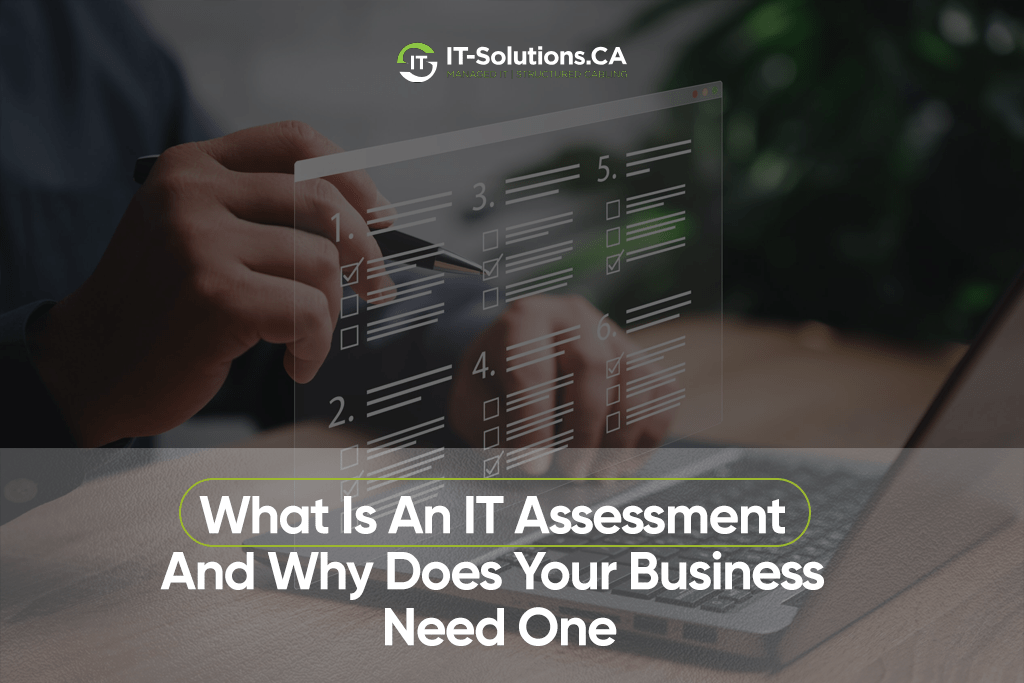
An IT assessment is a comprehensive evaluation of your organization’s technology environment. It covers hardware, software, security, network infrastructure, data management, and IT policies. The goal is to identify what is working, what is not, and where the business is exposed to risk.
It is not the same as routine IT maintenance. Maintenance keeps your current systems running. An IT assessment is forward-looking. It evaluates whether those systems are the right fit for your business, properly configured, and capable of supporting your growth.
What Does an IT Assessment Cover?
A thorough IT assessment examines every layer of your technology. The specific scope varies by business size and industry, but most assessments cover the following areas.
IT Security Assessment
Your digital defenses are evaluated end-to-end. This includes firewall configurations, endpoint protection, vulnerability monitoring, and your team’s detection and response to active threats.
Key areas reviewed:
- Firewall rules and network perimeter controls
- Antivirus and endpoint detection tools
- Email security and phishing exposure
- User access privileges and authentication practices
- Incident response procedures and threat detection capability
The output tells you exactly how well your security posture holds up against current attack methods, not just theoretical ones.
Infrastructure Review
Every piece of hardware and its configuration is examined, including servers, workstations, network devices, and storage systems. The review covers both physical and virtual infrastructure to identify what is optimized, what is aging out, and what is creating hidden risk.
Common findings include:
- End-of-life hardware still running in production
- Servers operating beyond recommended capacity
- Inconsistent or missing patch management
- Virtualization environments with configuration gaps
Network Performance
Network architecture, bandwidth capacity, and overall operational performance are analyzed to identify what is slowing your team down. A network that made sense three years ago may be creating daily friction today without anyone connecting the dots.
The review looks at:
- Network segmentation and traffic routing
- Bandwidth usage and congestion points
- Wireless coverage and access point configuration
- Remote access setup and VPN performance
Data Management
Your data is one of your most valuable business assets. This section of the assessment evaluates how well it is protected, organized, and recoverable.
Areas covered include:
- Backup frequency, storage locations, and restoration testing
- Encryption in transit and at rest
- Data access controls and permission structures
- Compliance with applicable regulations, such as HIPAA or state privacy laws
- Data retention policies and disposal procedures
Many businesses discover their backups exist on paper but have never actually been tested for successful recovery.
Software and Applications
Every application in your environment is reviewed for licensing compliance, version currency, and actual usage. Outdated or unsupported software is one of the most common entry points for cyberattacks.
The assessment flags:
- Software running past its end-of-support date
- Duplicate tools performing the same function
- Licenses being paid for but not actively used
- Applications installed without IT approval, commonly called shadow IT
Business Continuity and Disaster Recovery
What happens when something goes wrong? This section evaluates your ability to keep operating through disruptions, from a ransomware attack to a power outage to a hardware failure.
Reviewed items include:
- Documented recovery procedures and assigned responsibilities
- Recovery time objectives and whether they are realistic
- Backup and failover system testing history
- Communication plans for staff and clients during an incident
Cloud Services
Cloud environments introduce unique risks that on-premises audits often miss. The assessment evaluates the private cloud hosting setup for security configuration, cost efficiency, and resource utilization.
Common findings in cloud reviews:
- Publicly exposed storage buckets or misconfigured permissions
- Unused virtual machines or services still generating charges
- Lack of multi-factor authentication on cloud accounts
- No logging or monitoring on critical cloud resources
IT Policies and Procedures
Technology only works as intended when the people using it follow clear, consistent guidelines. This section reviews your documented IT policies to determine whether they are current, communicated, and actually followed in practice.
Areas assessed include:
- Acceptable use and device management policies
- Password and authentication requirements
- Onboarding and offboarding procedures for system access
- Vendor and third-party access management
Outdated policies are one of the quietest sources of compliance exposure and internal security risk.
User Support and Training
Your employees are often the first line of defense against a cyberattack, and also the most common point of failure. This portion of the assessment identifies where training gaps exist and where tools create friction instead of enabling productivity.
What gets evaluated:
- Employee awareness of phishing and social engineering threats
- Help desk ticket patterns that point to recurring tool or training issues
- Onboarding processes for new technology rollouts
- Accessibility and usability of current systems across teams
Cost Analysis
Your IT spending is mapped and evaluated against actual business value. The goal is to identify waste, surface smarter investment opportunities, and give you a clear picture of where your technology budget is actually going.
The analysis typically covers:
- Software subscription costs versus active usage
- Hardware refresh cycles and total cost of ownership
- Vendor contract terms and renewal timelines
- Areas where consolidation or renegotiation would reduce spend
If you want a clearer picture of where your business stands across all of these areas, IT-Solutions.CA offers a free IT assessment for businesses across Toronto and Canada.
Why Does Your Business Need an IT Assessment?
Assuming your IT is fine because nothing has visibly broken is one of the most expensive mistakes in technology management. Here is what an IT assessment actually does for your business.
Hidden Risks Are Already Costing You
Most technology risks are invisible until they cause damage. Misconfigurations, excessive user permissions, outdated software, and unauthorized applications build up quietly over time. Systems can appear to function normally while risk accumulates beneath the surface.
According to IBM’s 2024 Cost of a Data Breach Report, breaches involving stolen or compromised credentials took the longest of any attack vector to identify and contain, at nearly 10 months. That is close to a full year of silent exposure before a business knows it has been compromised. An IT assessment surfaces those vulnerabilities before a breach does.
Cyber Threats Are Actively Targeting Small Businesses
Small businesses are not below the radar. They are on it. Attackers target them specifically because they tend to have weaker defenses and fewer resources dedicated to security. 43% of all cyberattacks target small businesses, and 60% of those businesses close within six months of a successful attack.
The same IBM Cost of a Data Breach Report puts the average global breach cost at $4.88 million in 2024, a 10% jump from the prior year and the largest single-year increase since the pandemic. For a small or mid-sized business without proper defenses in place, one incident can be the last one.
Downtime Is More Expensive Than You Think
System failures are not just an inconvenience. Many SMBs lose C$34,500 or more for every hour of unplanned downtime. Mid-sized organizations average Cover C$414,000 per hour.
Aging hardware, unpatched software, and misconfigured systems are the most common causes. These are also exactly what an IT assessment identifies. Fixing them proactively costs a fraction of what a full outage does.
You Are Likely Paying for Technology You Do Not Use
Most businesses are carrying more IT waste than they realize. Unused software subscriptions, redundant tools, and hardware running past its useful life all drain budget without delivering any real value.
An IT assessment puts a number on that waste. It identifies exactly where money is going, what can be eliminated without impacting operations, and where spending should be redirected toward technology that actively supports business performance.
Your Technology Should Grow With Your Business
As businesses scale, their technology often does not keep pace. What worked for a 10-person team creates bottlenecks at 50, and by the time the problem is obvious, it is already affecting productivity, customer experience, and the ability to take on new work.
An IT assessment identifies where your infrastructure is falling behind your growth, highlights the gaps creating the most friction, and maps out a concrete path to bring your technology in line with where the business is headed.
Compliance Gaps Do Not Stay Hidden Forever
Regulations do not wait for a convenient moment. For businesses in healthcare, finance, and legal services, a compliance gap found by an auditor or exposed by a breach is far more damaging and far more expensive than one caught and addressed internally.
An IT assessment measures your current practices against applicable standards such as HIPAA, PCI-DSS, and SOC 2, giving you a clear picture of exactly where you stand, what needs to change, and how much time you have to act before it becomes someone else’s discovery.
Signs Your Business Is Overdue for an IT Assessment
These are the clearest signals that a formal review should not be delayed.
- You have never had a third-party review of your IT environment.
- Your team regularly works around slow systems, crashes, or unreliable tools.
- You recently experienced a security incident or a near miss.
- Your business has grown significantly in the past 12 to 18 months.
- You are preparing to scale, open a new location, or go through a merger.
- New leadership has taken on responsibility for IT or operations.
- You are not confident your setup meets current compliance requirements.
- Your IT environment has grown without a clear plan, with tools and subscriptions added on an as-needed basis over the years.
If two or more of these apply, an IT assessment belongs on your near-term agenda. Our team at IT-Solutions.CA can walk you through exactly where you stand at no cost.
What Happens During an IT Assessment?
A well-run assessment is structured, transparent, and causes minimal disruption to your daily operations. Here is the process from start to finish.
Step 1: Discovery and Documentation
Your IT partner inventories all systems, users, devices, and integrations. This establishes a complete baseline of your current environment before the evaluation begins.
Step 2: Architecture and Access Review
Assessors examine how your users and systems actually interact. This step routinely surfaces excessive access permissions, misconfigured integrations, and network structures that expose the business to lateral movement if a breach occurs.
Step 3: Risk Identification and Prioritization
Risks are ranked by business impact, not by technical complexity. The issues with the most potential to damage your operations are addressed first.
Step 4: Reporting
Findings are delivered in plain language. A quality IT assessment report is written for business owners and leadership, not IT staff. You should understand exactly what is wrong, why it matters, and what it costs to fix it.
Step 5: Actionable Recommendations
The output is a prioritized action plan, not a list of problems. Every recommendation is tied directly to business outcomes, so you know where to act first and why.
Step 6: Implementation Support
A capable IT partner follows through. They work with your team to execute on the recommendations, track progress, and adjust as your environment continues to evolve.
Most assessments run two to four weeks from kickoff to final report, depending on your business size and the scope of the review.
How Often Should Your Business Get an IT Assessment?
Businesses should complete a formal IT assessment at least once per year. The threat landscape shifts constantly, and technology environments change as businesses grow. An annual assessment keeps your systems aligned with your goals and your defenses current with real-world risks.
More frequent assessments are warranted in these situations:
- Significant growth or structural change in the business
- A security incident or confirmed data breach
- A major technology migration or upgrade
- New leadership taking on IT strategy responsibilities
- Entry into a new industry or regulatory environment
An IT assessment is not a one-time exercise. It is a recurring part of a healthy IT strategy.
Frequently Asked Questions
What is an IT assessment?
An IT assessment is a structured evaluation of your technology environment covering hardware, software, security, network infrastructure, and IT policies. It identifies what is working, what is not, and where the business is at risk, then delivers a prioritized plan to address it.
How long does an IT assessment take?
Most assessments take two to four weeks from start to final report. Smaller businesses typically complete the process faster. Larger or more complex environments may require additional time depending on the scope.
What is the difference between an IT assessment and a security audit?
An IT assessment covers the full technology environment, including operations, performance, and costs. A security audit focuses specifically on cybersecurity controls and compliance. An IT assessment typically includes a security evaluation, but is broader in scope.
Bottom Line
Running a business on technology that has never been properly evaluated is a risk most leaders do not realize they are taking until something goes wrong. Every risk left unidentified and every compliance gap left open is a problem that compounds quietly until it cannot be ignored. Businesses that assess their technology regularly make smarter investments, scale with fewer obstacles, and operate with a level of confidence that reactive IT management simply cannot provide.
For over 15 years, IT-Solutions.CA has helped small and mid-sized businesses across Toronto, Vancouver, Calgary, and Montreal take control of their technology. We are an extension of your team, and we work the way your business actually works. We help you execute, track progress, and build a technology environment that can grow alongside your business without creating new problems along the way.
If your business is in Toronto or anywhere across Canada and you want to know exactly where your IT stands, reach out to our team or call us at 1-866-531-2614. The assessment is free, and the clarity it delivers is not something you can put a price on.
Author Profile

- Dedicated IT specialist with expertise in system administration, network security, and troubleshooting. Skilled at leveraging emerging technologies to boost efficiency, reduce risks, and ensure seamless IT operations while empowering teams to achieve their goals.
Latest entries
 BlogsOctober 14, 2026Managed IT vs. Break-Fix IT: Which Is Better for Your Business?
 BlogsOctober 13, 2026How Much Does A Microsoft 365 Security Audit Cost?
 BlogsSeptember 25, 2026How Often Should a Business Conduct a Cybersecurity Risk Assessment?
 BlogsSeptember 24, 2026How to Prepare Your Business for a Microsoft 365 Migration