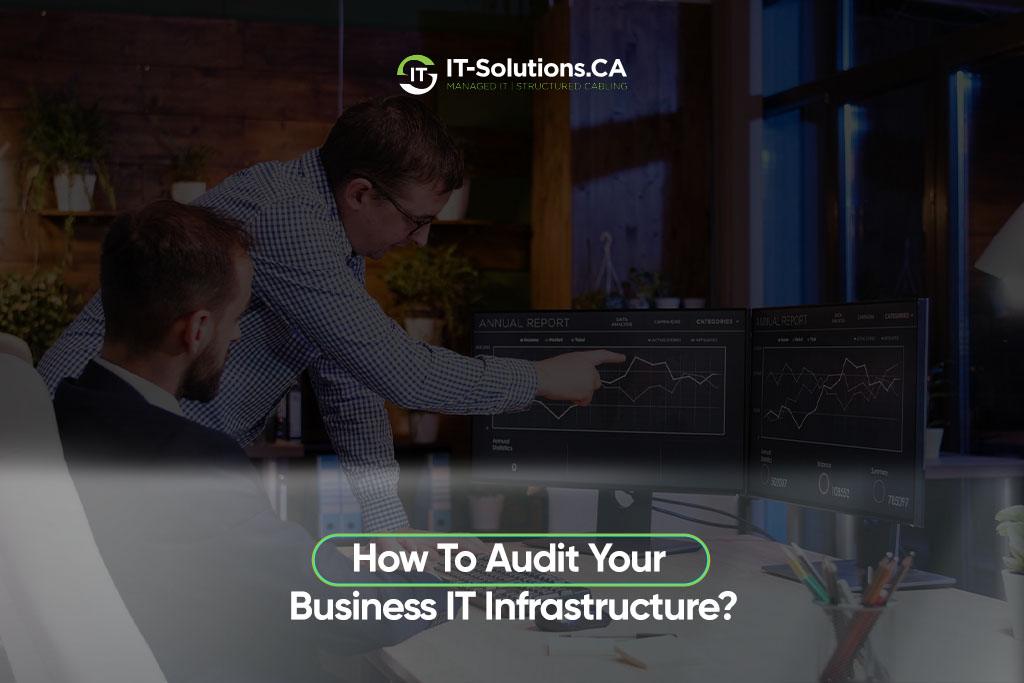
Most businesses don’t think about their tech setup until something breaks, and by then it’s already costing time and money. Running an IT infrastructure audit is how you catch problems before they turn into outages, breaches, or compliance fines. It reviews your hardware, software, networks, policies, and security to find risks, gaps, and places where you’re overpaying or underprotected.
You don’t need to be a tech expert to understand the value here. The right audit gives you a clear, plain-language picture of what’s working, what’s outdated, and what needs fixing first, before it costs you real money.
What Is An IT Infrastructure Audit?
An IT infrastructure audit is a structured review of every piece of technology your business depends on to operate.
It covers a few core areas:
- Hardware: Servers, workstations, routers, and other physical equipment
- Software: Applications, operating systems, and licensing
- Networks: Connectivity, firewalls, and how systems talk to each other
- Policies: Access rules, password standards, and data handling practices
- Security: Vulnerabilities, monitoring, and incident response readiness
Businesses run these audits to spot risks early, stay compliant, cut wasted spending, and make sure their systems can support growth instead of holding it back. Both a small business with ten employees and a large enterprise with thousands benefit, though the depth and frequency of the audit usually scale with the size and complexity of the environment.
How to Audit Your IT Infrastructure
The process follows six steps, moving from planning through to fixing what’s broken.
Define Scope and Goals
Start by deciding what systems and locations the audit covers. This means listing every office, remote setup, and cloud environment that touches your business data.
Align the goals with what matters most right now. Security-focused audits prioritize vulnerabilities and access controls, compliance-focused audits prioritize regulatory checklists and documentation, and cost-focused audits prioritize licensing waste and underused hardware.
Inventory Assets
List every piece of hardware, software, user account, and network component currently in use. This step often turns up more than expected, since shadow IT, meaning tools employees adopted without IT approval, tends to hide in the gaps.
Watch for these common surprises during inventory:
- Unsupported tools that nobody flagged for retirement
- Forgotten subscriptions still quietly draining the budget
- Devices or accounts nobody remembers assigning
This clean, current inventory becomes the foundation everything else in the audit builds on, since you can’t secure or test what you don’t know exists.
Review Controls
Check access management, patching schedules, encryption, backups, and monitoring systems to confirm they’re working as intended.
This means verifying:
- Only the right people can reach sensitive systems
- Updates are being installed on schedule rather than skipped
- Backups are running on a regular cycle rather than configured once and forgotten
Test and Validate
This step confirms your systems hold up under real conditions rather than on paper.
Run through these checks:
- Vulnerability scans to surface weaknesses before an attacker finds them first
- Backup and recovery tests by restoring data rather than checking that a backup job completed
- Configuration and log reviews to confirm systems are set up correctly, and activity is being recorded
Rank Findings
Once the testing wraps up, separate high-risk issues from low-priority items. Ask whether each issue could cause downtime or a breach, whether it’s a cosmetic or minor efficiency concern, and whether fixing it protects revenue or compliance status.
Focus on business impact first, since a long list of findings means nothing if the most damaging ones sit untouched.
Report and Fix
This final step turns your findings into action instead of letting them sit in a report nobody reads.
Make sure each item includes:
- Clear, plain language description anyone outside IT can understand
- Assigned owner responsible for the fix
- Deadline, with progress tracked until the issue is closed out
IT Infrastructure Audit Checklist
Use this checklist as a quick reference during or after your audit:
- Physical and network security, including locked server rooms and firewall rules
- Compliance controls, including documentation and regulatory alignment
- Backup and disaster recovery, including tested restore procedures
- Hardware age and performance, including equipment nearing end of life
Why It Matters
Skipping an audit means flying blind, and that gap usually shows up at the worst possible time.
Security Risks
Outdated systems are one of the biggest risks hiding in plain sight. Old software stops receiving security patches, which leaves known vulnerabilities wide open for attackers.
Common gaps show up again and again:
- Weak access controls that let former employees or unauthorized users keep reaching sensitive data
- Unpatched systems and exposed ports that give attackers an easy entry point
- Misconfigured firewalls that a routine audit would normally catch before they become a problem
As a result, businesses without regular audits often discover these gaps only after a breach has already happened, when the fix costs far more than catching it early would have.
Compliance and Continuity
Regulatory alignment matters more every year, since most industries now carry some form of data protection requirement. The audit checks whether your systems meet those standards before a regulator or client does it for you.
Beyond compliance, the audit also tests backup and recovery readiness, so data loss doesn’t become data gone, along with business continuity planning, so an outage doesn’t turn into a full shutdown.
Best Practices
These habits keep audits useful long after the report gets filed away.
Build them into your routine:
- Keep an accurate asset inventory year-round instead of rebuilding it from scratch each time
- Involve IT, security, and compliance teams together, since each one catches issues the others might miss
- Use audit or asset management software to track changes automatically rather than relying on spreadsheets
- Repeat audits regularly, ideally on a set schedule, so problems get caught early instead of piling up
These habits matter most for growing businesses, since new hires, new tools, and new locations all expand the surface area that needs reviewing.
What should be included in an IT infrastructure audit?
An IT infrastructure audit should include hardware, software, networks, access controls, backups, security settings, and compliance checks. Together, these areas give a full picture of where your systems stand and where risks hide.
How often should a business audit its IT infrastructure?
Most businesses should audit their IT infrastructure at least once a year, and more often if they handle sensitive data or change systems frequently. Faster-growing companies often benefit from quarterly or biannual reviews instead.
What is the first step in auditing IT infrastructure?
The first step is to define the audit scope and identify which systems, locations, and controls will be reviewed. Skipping this step often leads to wasted time chasing low-priority issues instead of real risks.
Why is an IT infrastructure audit important?
An IT infrastructure audit or full IT infrastructure assessment helps identify security gaps, reduce downtime risk, improve reliability, and keep the business aligned with compliance requirements. It also gives leadership a clear view of where technology dollars are spent.
Bottom Line
An IT infrastructure audit isn’t a one-time chore; it’s how you stay ahead of the risks that quietly build up in any growing business. Define your scope, inventory what you have, test what matters, and fix the highest priority issues first.
Not sure where to start, or don’t have the time to manage this yourself? Professional it services from IT-Solutions.CA have been helping Toronto businesses get a clear, honest picture of their technology for years, from network security to backup readiness to full infrastructure reviews.
Reach out for a free IT assessment and find out exactly where your systems stand before a small gap turns into a costly problem.
Author Profile

- Dedicated IT specialist with expertise in system administration, network security, and troubleshooting. Skilled at leveraging emerging technologies to boost efficiency, reduce risks, and ensure seamless IT operations while empowering teams to achieve their goals.
Latest entries
 BlogsOctober 14, 2026Managed IT vs. Break-Fix IT: Which Is Better for Your Business?
 BlogsOctober 13, 2026How Much Does A Microsoft 365 Security Audit Cost?
 BlogsSeptember 25, 2026How Often Should a Business Conduct a Cybersecurity Risk Assessment?
 BlogsSeptember 24, 2026How to Prepare Your Business for a Microsoft 365 Migration