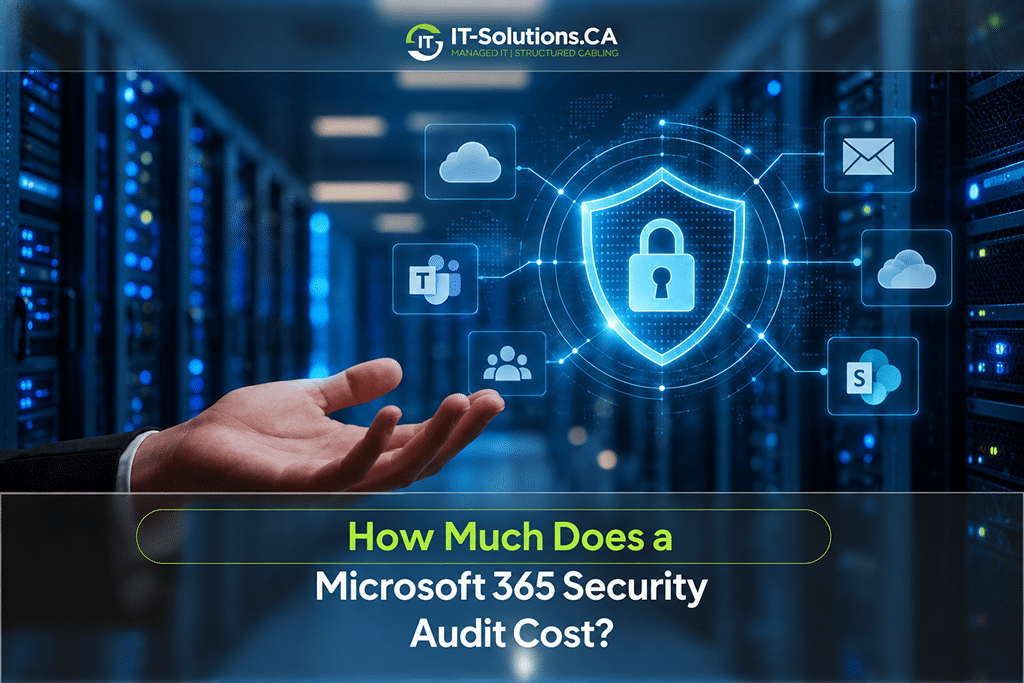
Most businesses moved email, files, and Teams into Microsoft 365 years ago and rarely revisited the security settings after setup. Default configurations, old admin accounts, and open sharing links build up over time, and attackers know where to look for them. In a Microsoft 365 security audit, a specialist reviews your identity, email, and sharing settings against security best practices, then reports the gaps that leave your data exposed.
The Microsoft 365 security audit cost for most Canadian businesses falls between CAD 2,000 and CAD 5,000, while larger or regulated organizations can spend CAD 12,000 to CAD 20,000 or more. Your final price depends on the number of users, the services in scope, and how deep the review goes.
Microsoft 365 Security Audit Cost at a Glance
Audit pricing follows the size of your tenant and the depth of the review. These ranges reflect typical market rates in Canada for 2026:
| Audit Type | Typical Cost (CAD) | Timeline | Best For |
| Automated scan and Secure Score review | Free to about 1,200 | 1 to 3 days | Quick health check |
| Small business audit (up to 150 users) | 2,000 to 5,000 | 1 to 2 weeks | Most SMBs |
| Benchmark-based audit (CIS or CISA SCuBA) | 3,500 to 6,500 | 1 to 3 weeks | Businesses wanting a measurable standard |
| Mid-market audit (150 to 1,000 users) | 4,000 to 12,000 | 2 to 4 weeks | Growing firms using Intune and Defender |
| Full security posture assessment | 12,000 to 20,000 | 4 to 6 weeks | Regulated or complex environments |
| Enterprise or multi-tenant audit | 20,000 and up | 6 weeks or more | Large or hybrid organizations |
Most small and mid-sized businesses fall within the CAD 2,000 to CAD 6,500 range. Prices above CAD 12,000 usually reflect complex environments, compliance mapping, or more than 150 users.
Microsoft 365 Security Audit Cost by Business Size
User count is the clearest predictor of Microsoft 365 security audit cost because each user adds accounts, devices, and permissions to review. Each size band below comes with a typical price and scope.
Small Businesses With Under 50 Users
Audits for offices with fewer than 50 users usually cost CAD 2,000 to CAD 3,500 and take one to two weeks. The review focuses on the settings that stop most attacks, including multi-factor authentication, admin roles, and external file sharing.
Email security settings, such as anti-phishing policies and forwarding rules, are also part of the standard scope. You receive a written report with findings ranked by risk.
Growing Businesses With 50 to 150 Users
Audits at this size usually cost CAD 3,500 to CAD 5,000 because the scope widens beyond basic account settings. Common additions include:
- Conditional Access policies by location and device
- Device management through Intune
- Data loss prevention rules for sensitive files
- Guest access in Teams and SharePoint
These extra checks add hours of review and testing. Most audits at this size finish within two weeks.
Mid-Sized Organizations With 150 to 1,000 Users
Organizations in this band usually pay CAD 4,000 to CAD 12,000. The audit covers full Intune device and app policies, Defender for Endpoint, and Microsoft Purview settings for retention and sensitivity labels.
Deliverables also expand at this level. Most providers prepare separate executive and technical reports, along with a remediation roadmap that IT staff can follow over several months. The roadmap usually groups fixes by risk and effort, and that structure helps finance teams spread the remediation budget across several quarters.
Enterprise and Multi-Tenant Environments
Large organizations with more than 1,000 users, several tenants, or hybrid identity linked to on-premises Active Directory should budget CAD 20,000 or more. Pricing is usually custom because the audit may span every Microsoft 365 and Entra workload, plus compliance mapping to specific regulations. Timelines often run six weeks or longer.
Factors That Drive Microsoft 365 Security Audit Pricing Up or Down
Two businesses with the same headcount can receive very different quotes. These factors explain most of the gap:
- Number of Users and Licences: Each additional user adds accounts and devices to review. Pricing often steps up at roughly 50, 150, and 1,000 users.
- Workloads in Scope: Reviewing only Exchange Online and Entra ID costs less than a full review that adds SharePoint, Teams, Intune, and Defender. Each added workload often raises the quote by CAD 500 to CAD 2,000.
- Licence Level: Business Premium, E3, and E5 unlock more security features, and each feature in use needs review. Tenants on E5 typically cost more to audit than tenants on Business Standard.
- Compliance Requirements: Mapping findings to PIPEDA, Quebec’s Law 25, or Ontario’s PHIPA for health information adds documentation time. Compliance mapping often adds several days of work to the engagement.
- Hybrid Identity and On-Premises Systems: Tenants synced with on-premises Active Directory need extra review of the connection between both environments. That added complexity often moves a project into the next price tier.
- Audit Depth: Read-only configuration reviews cost the least. Adding sign-in log analysis, phishing simulations, or breach investigation raises both time and price.
- Post-Incident Urgency: Audits ordered after a suspected compromise often cost more because they include investigation and fast turnaround. Scheduling an audit before trouble starts keeps the price in the standard range.
Clear scope decisions before requesting quotes make prices easier to compare. Ask each provider to list the workloads, standards, and deliverables included in the fee.
Costs That Come After the Audit
The audit fee covers finding problems, not fixing them. Budgeting for the work that follows avoids surprises once the report arrives.
Remediation Labour
Fixing the issues an audit uncovers usually costs CAD 150 to CAD 250 per hour when billed by time. Many providers also offer fixed hardening projects in the CAD 2,000 to CAD 12,000 range, depending on how many settings need to change. Small tenants with a handful of high-risk findings often finish remediation within a few days.
Licence Upgrades
Some fixes depend on features your current licence does not include. Moving from Business Standard to Business Premium adds roughly CAD 10 to CAD 15 per user each month, and the upgrade unlocks Conditional Access, Intune, and Defender for Business. For a 25-person office, that comes to about CAD 3,000 to CAD 4,500 a year. Microsoft adjusts list prices regularly, and current rates are worth confirming before you budget.
Ongoing Monitoring and Re-Audits
Security settings drift as staff join, leave, and add new apps. Plan for these recurring costs after the first audit:
- Annual re-audits, often CAD 1,500 to CAD 4,000 for small businesses since the baseline already exists
- Managed security monitoring, usually billed per user each month or included in a managed IT plan
- Monthly Secure Score reviews, which your team can run at no extra licence cost
Regular reviews cost far less than starting from scratch each year. They also catch new risks before they grow into expensive problems.
Free Secure Score vs a Paid Microsoft 365 Security Assessment
Microsoft Secure Score is free with every Microsoft 365 tenant and makes a useful starting point. Microsoft reports that more than 97% of identity attacks are password attacks, and these attacks rose 32% in the first half of 2025. Secure Score flags missing MFA, but a paid Microsoft 365 security assessment confirms that every account, including admins, is actually covered.
The two options differ in several practical ways:
| What You Get | Free Secure Score | Paid Audit |
| Cost | Included with Microsoft 365 | CAD 2,000 to 20,000 or more |
| Scope | Microsoft’s built-in recommendations | Full review of settings, roles, and sharing |
| Business context | None | Findings ranked by your risks and priorities |
| Compliance mapping | Not included | PIPEDA, Law 25, or PHIPA when required |
| Remediation plan | General suggestions | Step-by-step roadmap with effort estimates |
| Human review | Automated only | Specialist review of every finding |
Secure Score works well for tracking progress between audits. A paid review adds judgment, context, and a plan built around how your business actually uses Microsoft 365.
How to Lower the Cost of an Office 365 Security Audit
Preparation trims hours from the engagement, and fewer hours mean a lower bill. These steps help keep your Office 365 security audit quote in the lower part of the range:
- Define the scope up front, listing the workloads and compliance standards that matter to you.
- Fix obvious Secure Score items, such as enabling MFA, before the audit starts.
- Gather admin access, licence details, and existing documentation before kickoff.
- Bundle the audit with remediation to secure a combined project price.
- Book the audit before an incident, when standard rates still apply.
Each step reduces the time your provider spends on discovery. That saved time comes straight off your invoice.
Send us your user count and current licence plan, and our team at IT-Solutions.CA will scope a Microsoft 365 audit that fits your budget. Start with our free initial IT assessment, then let the same team handle the audit, remediation, and ongoing cybersecurity support without handing you off to another vendor.
Is a Microsoft 365 Security Audit Worth the Cost
The audit fee looks small next to the cost of one compromised mailbox. Canadian businesses and individuals reported CAD 67.9 million in spear phishing losses in 2025, and those losses average more than CAD 100,000 for each of the 571 victims.
Spear phishing often begins with a takeover of an email account, the exact risk an audit is designed to find. Spending CAD 2,000 to CAD 5,000 to close those gaps is a modest cost compared with a single fraudulent wire transfer. A prevented breach also spares your business the downtime, PIPEDA reporting duties, and difficult client conversations that follow a compromise.
How often should a Microsoft 365 security audit be done?
Most businesses benefit from a full audit once a year, plus a review after major changes such as a merger, a migration, or a security incident. Monthly Secure Score checks help track progress between audits at no extra cost.
Does a Microsoft 365 security audit include fixing the issues it finds?
Most audits deliver findings and a remediation plan without making changes to the tenant. Fixes are quoted separately, either by the hour or as a fixed project, although some providers bundle both at a reduced price.
Conclusion
The Microsoft 365 security audit cost for most Canadian businesses falls between CAD 2,000 and CAD 6,500, with complex or regulated environments reaching CAD 20,000 or more. Remediation and licence upgrades add to the total, and annual reviews keep settings from drifting. Clear scope, early preparation, and a bundled remediation plan keep the overall spend predictable from the first quote to the final fix.
At IT-Solutions.CA, we audit, harden, and monitor Microsoft 365 tenants for businesses across Canada. Our specialists review identity, email, and sharing settings, explain every finding in plain language, and fix the gaps without disrupting your staff. Pricing is transparent from the first quote, and a dedicated account manager stays with you after the audit.
Call us today to speak with our team and get a fixed quote for your Microsoft 365 audit based on your user count and licence plan.
Author Profile

- Dedicated IT specialist with expertise in system administration, network security, and troubleshooting. Skilled at leveraging emerging technologies to boost efficiency, reduce risks, and ensure seamless IT operations while empowering teams to achieve their goals.
Latest entries
 BlogsOctober 14, 2026Managed IT vs. Break-Fix IT: Which Is Better for Your Business?
 BlogsOctober 13, 2026How Much Does A Microsoft 365 Security Audit Cost?
 BlogsSeptember 25, 2026How Often Should a Business Conduct a Cybersecurity Risk Assessment?
 BlogsSeptember 24, 2026How to Prepare Your Business for a Microsoft 365 Migration