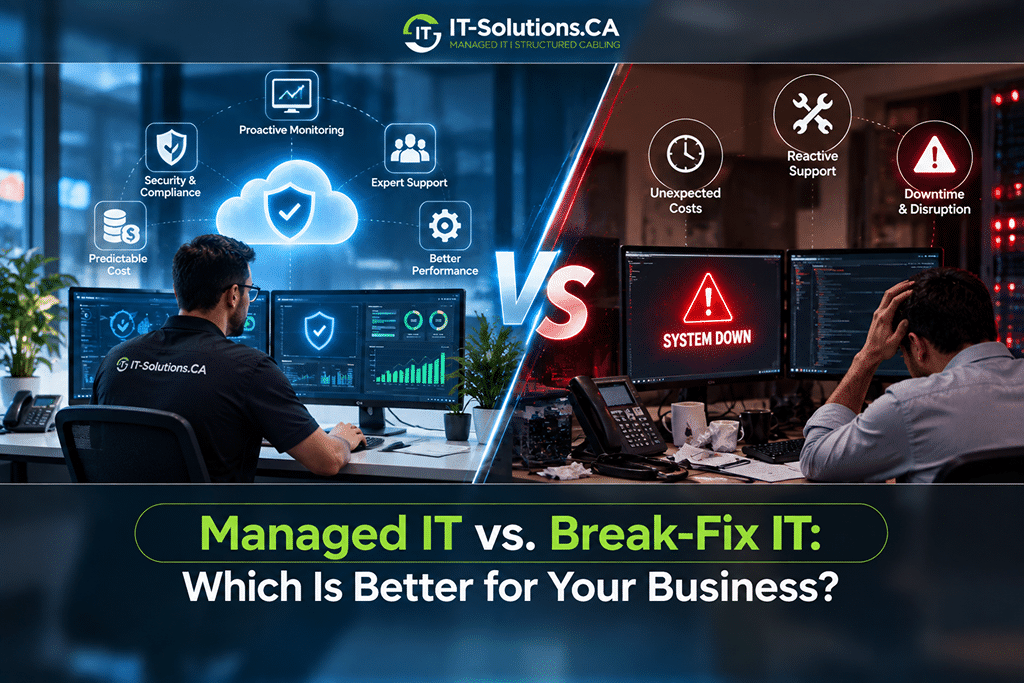
Many Canadian businesses pay for IT help only when something stops working, and for a while that approach feels like the cheaper option. The real costs appear later through emergency call-out fees, slow fixes during busy weeks, and security gaps that nobody was watching.
The decision on managed IT vs. break-fix IT comes down to whether your business pays to prevent problems or pays to repair them after they happen. Managed IT spreads a predictable monthly cost across monitoring, maintenance, and support, while break-fix keeps spending low until a failure arrives. The better fit depends on your team size, the data you handle, and what a day of downtime would cost you.
How Each IT Support Model Works
Both models keep your technology running, but they approach the job from opposite directions. One prevents problems on a schedule, and the other responds once problems appear.
Managed IT Services
Managed IT services cover your technology for a flat monthly fee, usually priced per user or per device. Your provider monitors systems around the clock and applies updates and security patches on schedule. Backups, help desk support, and long-term planning are usually part of the same agreement.
Most providers offer these services in tiers, from basic monitoring to full coverage that includes cybersecurity, cloud management, and on-site visits. Your business knows the cost each month, and the provider handles problems as part of that fee instead of billing for every call.
Break-Fix IT Support
Break-fix IT support works like calling a repair technician. When a laptop fails, the network drops, or email stops working, you contact a provider and pay for the hours and parts needed to fix the problem. Between calls, nobody watches your systems or plans for what comes next.
Rates usually run by the hour, with higher charges for after-hours, weekend, or emergency visits. The lack of a contract keeps the arrangement simple, yet every new problem starts from scratch with a technician who may not know your setup.
Managed IT vs Break-Fix IT at a Glance
The table below compares managed IT vs break-fix IT on the factors that matter most to Canadian businesses.
| Factor | Managed IT | Break-Fix IT |
| Pricing | Flat monthly fee per user or device | Hourly rates plus parts for each call |
| Budgeting | Predictable from month to month | Varies with every problem |
| Response time | Guaranteed in the service agreement | Depends on technician availability |
| Monitoring | 24/7 monitoring and alerts | None between calls |
| Security | Ongoing patching, backups, and threat monitoring | Handled only when a problem is reported |
| Documentation | Full records of your systems and accounts | Often limited or missing |
| Planning | Technology roadmap and budgeting advice | Focused on the current repair |
| Best fit | Growing teams and businesses with sensitive data | Very small offices with simple setups |
The gap between the two models widens as a business adds staff, devices, and data. Each factor plays out differently in daily operations, and the details have a direct effect on your budget.
Key Differences Between Managed IT and Break-Fix IT
Price is only one part of the decision. Response times, security, and planning often decide which model serves a business better over time.
Pricing and Budget Predictability
Managed IT replaces surprise invoices with a fixed monthly cost. Break-fix looks cheaper in quiet months, but one server failure or security incident can cost more than several months of managed support. Canadian organizations paid an average of CAD 7.11 million per data breach in 2026, up from CAD 6.98 million in 2025.
Rough figures for a 25-person GTA office show the difference:
- Managed IT at CAD 125 per user each month comes to about CAD 37,500 a year, with support included
- Break-fix runs about CAD 18,000 a year for routine calls, but one server failure can add CAD 5,000 to CAD 10,000 and days of lost work.
Break-fix looks cheaper until a serious failure arrives. Managed IT costs more on paper in quiet years and less in the years when something goes wrong.
Response Times and Availability
Speed matters most when your team cannot work. The two models handle urgent problems very differently:
- Managed IT providers commit to response times in a written service agreement
- Monitoring often catches failing drives or full servers before staff notice
- Break-fix technicians serve clients in the order calls arrive
- After-hours and weekend calls on break-fix usually cost more
Guaranteed response times turn an outage into a scheduled fix instead of an open-ended wait. Break-fix clients have no such promise, and that gap matters most during busy periods.
Downtime and Business Continuity
Managed IT aims to stop problems before they cause downtime. Monitoring tools flag failing hardware, low storage, and missed backups early, and technicians fix them during quiet hours.
Break-fix only starts once a failure has already stopped work. Every outage carries a cost that grows by the hour. In Uptime Institute’s 2025 survey, 57% of respondents said their most recent major outage cost more than US$100,000, and even a fraction of that amount can strain a small or mid-sized business.
Cybersecurity and Privacy Compliance
Strong security depends on steady routine work. Patching software, updating firewalls, and testing backups all need to happen on schedule, along with monitoring for unusual activity. Managed IT providers handle these tasks as part of the service, while break-fix providers usually address security only after a problem appears.
Privacy obligations add another layer of risk for Canadian businesses. In the 2025 to 2026 fiscal year, the federal privacy commissioner received almost 700 breach reports from businesses, affecting more than 20 million Canadians. Under PIPEDA, organizations must report breaches that create a real risk of significant harm, notify affected individuals, and keep records of every breach for 24 months.
How Each Provider Gets Paid
The payment model also affects each provider’s incentives. Each model rewards the provider differently:
- Break-fix technicians earn more when systems fail
- Repeat problems bring repeat invoices on break-fix
- Managed IT providers absorb the cost of fixes under a flat fee
- Stable systems keep a managed provider’s costs down
That difference explains why managed providers invest in prevention. Your interests and theirs line up when fewer problems mean a better result for both sides.
Documentation and Knowledge of Your Systems
Knowing how your network is set up saves hours during an outage. Managed providers keep detailed records such as:
- Network diagrams and device lists
- Passwords stored in a secure vault
- Software licences and renewal dates
- Hardware warranties and replacement schedules
Break-fix providers rarely document much beyond the job they just finished. If that technician moves on, the knowledge of your setup often leaves with them.
Planning for Growth
Managed IT includes a longer view of your technology. Providers plan hardware refreshes, budget for upgrades, and advise on cloud moves or new software as the business grows. Many also offer virtual CTO guidance for larger strategic decisions. Break-fix keeps the focus on today’s repair and leaves future planning to the business owner.
Which IT Support Model Fits Your Business
Both models have a place, and the right choice depends on how your business runs today and where it is heading. The signs in each group point clearly in one direction.
Break-Fix IT Can Work When
Break-fix can still make sense for businesses in these situations:
- The office has only a handful of staff and devices
- Systems rarely change and run on simple software
- Client data is limited and not highly sensitive
- An in-house staff member handles day-to-day IT tasks
- Short outages cause little disruption
Businesses in this position can keep costs low by paying only for the help they use. Reviewing the choice each year keeps break-fix from becoming a risk as the company grows.
Managed IT Is the Better Fit When
Managed IT usually pays off once technology becomes central to daily work:
- Your Team Is Growing: More staff means more devices, accounts, and support requests. A managed provider scales coverage without the cost of hiring internal IT staff.
- You Handle Sensitive Client Data: Law firms, clinics, and accounting offices carry higher privacy obligations under PIPEDA. Ongoing security monitoring helps meet those duties.
- Your Staff Works Remotely or in a Hybrid Setup: Remote devices need patching, secure access, and support wherever people work. Managed IT covers laptops and home connections along with the office.
- Downtime Costs You Money: Retail, professional services, and manufacturing lose revenue when systems stop. Prevention costs less than repeated emergency repairs.
- You Need Predictable Budgets: Fixed monthly pricing makes IT spending easy to plan. Finance teams can forecast the year without reserving cash for surprise repairs.
Many businesses with ten or more employees fall into at least one of these groups. For them, the steady monthly cost usually brings better value than paying for problems one call at a time.
How to Switch From Break-Fix to Managed IT
Moving to managed IT works best as a planned transition that keeps your team working throughout. Most switches follow five steps:
- Start with an IT assessment that reviews your devices, network, and security.
- Document the current setup, including accounts, licences, and vendor contacts.
- Set a security baseline with updated software, multi-factor authentication, and tested backups.
- Turn on monitoring, which lets your provider see problems before staff report them.
- Schedule regular reviews to adjust the plan as the business changes.
Start with our free initial IT assessment at IT-Solutions.CA, and our team will map your current setup, flag the urgent risks, and outline a clear plan for moving to managed IT support. You will know exactly what changes, what it costs, and how the switch fits your schedule before anything begins.
Is managed IT the same as using an MSP?
Managed IT describes the service model, and an MSP, or managed service provider, is the company that delivers it. The MSP monitors, maintains, and supports your systems under a monthly agreement with set response times.
Does managed IT replace an in-house IT team?
Managed IT can fully replace an in-house team for many small businesses. Larger companies often keep one or two internal staff for on-site tasks and use a provider for monitoring, security, and specialized projects such as cloud migrations.
Bottom Line
The decision between managed IT vs. break-fix IT comes down to how much your business depends on its technology. Break-fix suits very small offices with simple systems and little sensitive data. Growing teams, hybrid workplaces, and businesses bound by PIPEDA usually gain more from predictable costs, guaranteed response times, and ongoing security. A clear look at your current setup is the best place to start, and the right model becomes obvious once the risks and costs are clear.
At IT-Solutions.CA, we have kept Canadian businesses running for more than 15 years, with teams in Toronto, Vancouver, Calgary, and Montreal. We monitor your systems 24/7 and keep patches and backups on schedule. When your staff needs help, Canadian technicians answer the help desk and explain every issue in plain language. Each client works with a dedicated account manager and pays one transparent monthly price, with no surprise invoices when something needs fixing.
Request a no-surprise IT pricing review and find out what your business would pay each month for full coverage.
Author Profile

- Dedicated IT specialist with expertise in system administration, network security, and troubleshooting. Skilled at leveraging emerging technologies to boost efficiency, reduce risks, and ensure seamless IT operations while empowering teams to achieve their goals.
Latest entries
 BlogsOctober 14, 2026Managed IT vs. Break-Fix IT: Which Is Better for Your Business?
 BlogsOctober 13, 2026How Much Does A Microsoft 365 Security Audit Cost?
 BlogsSeptember 25, 2026How Often Should a Business Conduct a Cybersecurity Risk Assessment?
 BlogsSeptember 24, 2026How to Prepare Your Business for a Microsoft 365 Migration