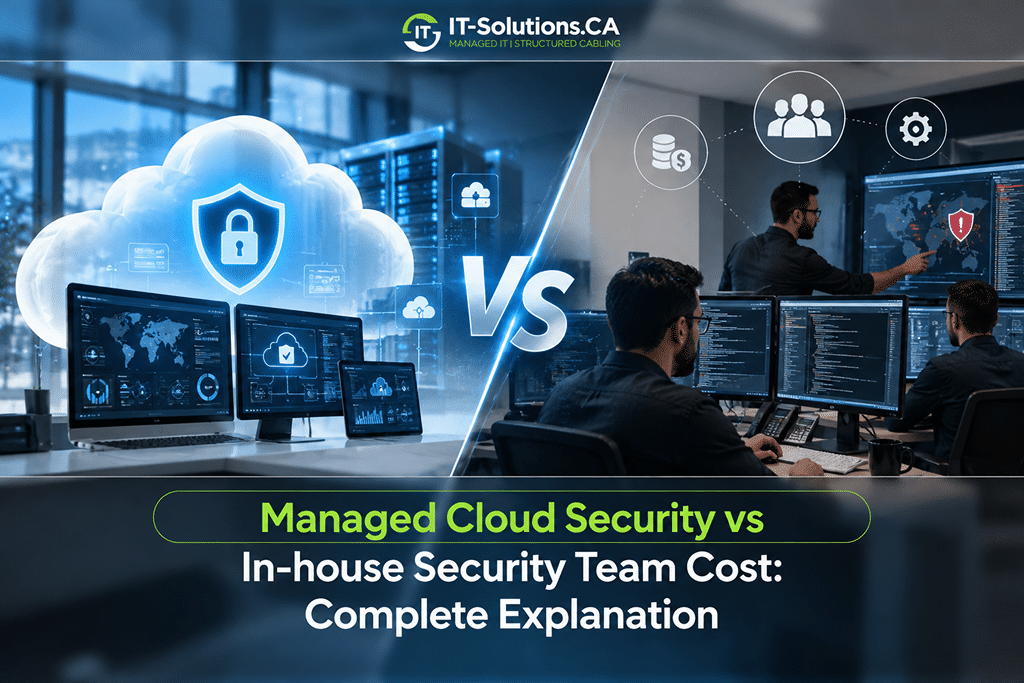
Protecting cloud systems has become a standard business expense, but the right way to pay for that protection is still a hard call for many companies. Some leaders prefer the control of hiring their own security staff, while others want expert coverage without adding payroll. Both paths protect data, yet their real costs differ far more than most budgets expect.
Comparing managed cloud security with an in-house team means looking past the monthly invoice or a single salary. Benefits, tools, training, turnover and around-the-clock coverage all shape the final number. Once those costs are laid out side by side, the better financial choice for your business becomes much easier to see.
Managed Cloud Security and In-House Security Teams Defined
Both models aim to protect cloud data, applications and accounts, but they deliver that protection in very different ways. Here is a clear look at each one:
Managed Cloud Security
Managed cloud security is an outsourced service where a specialist provider monitors, protects and responds to threats across your cloud environment. The provider supplies the analysts, security tools and processes for a predictable monthly fee. Coverage often includes threat detection, incident response, vulnerability management and compliance reporting.
In-House Security Team
An in-house security team is a group of employees hired directly to manage your organization’s security. Your business pays their salaries and benefits and buys the tools they use. This model gives full control over priorities and processes, but it also places the entire cost and management burden on your company.
In-House Security Team Cost Breakdown
Building an internal team involves much more than one job posting. These are the main costs that make up the total.
Analyst Salaries
Salaries form the largest share of in-house costs. The median annual wage for information security analysts was $124,910 in May 2024, and experienced cloud security engineers often earn considerably more. Senior roles, such as a security manager or architect, push the payroll higher still.
Benefits and Payroll Costs
Salary alone does not reflect the true cost of an employee. In private industry, benefits account for 29.7% of total employer compensation costs, covering health insurance, retirement plans, paid leave and payroll taxes. As a result, one analyst earning the median wage can cost close to $178,000 a year in total compensation.
Security Tools and Licenses
An internal team needs its own technology to work effectively. Common tools include:
- Security information and event management (SIEM) platforms
- Endpoint detection and response (EDR) software
- Cloud security posture management tools
- Vulnerability scanners
- Identity and access management systems
Licensing these tools for a growing business often adds tens of thousands of dollars per year. Costs also rise as data volumes and user counts grow.
Recruiting, Training and Turnover
Hiring security talent takes time and money because qualified candidates are in short supply. Recruiting fees, interview hours and onboarding all add cost before a new hire contributes fully. Once hired, analysts need ongoing training and certifications to keep pace with new threats.
Turnover adds another layer of expense. Experienced security professionals receive frequent outside offers, and replacing one restarts the entire hiring cycle. Gaps between hires also leave systems with less protection.
Around-the-Clock Coverage
Cyberattacks do not follow business hours, and many begin at night or on weekends. One full-time analyst covers about 40 hours of a 168-hour week. Continuous monitoring therefore requires a team of at least five analysts once vacations, sick days and training are included.
Cost Snapshot
Five analysts at roughly $178,000 each in total compensation comes to about $890,000 a year. That figure covers people only, before tools, training or recruiting costs.
Managed Cloud Security Cost Breakdown
Managed services package people, tools and processes into one recurring fee. Pricing depends on the size of your environment and the depth of coverage you need.
Common Pricing Models
Providers use a few standard structures to price their services:
- Per user: Pricing based on the number of employees, often between $50 and $200 per user per month depending on coverage.
- Per device or endpoint: Pricing tied to the number of laptops, servers and cloud workloads being protected.
- Tiered packages: Bundled plans, such as basic, standard and advanced, with more services included at higher tiers.
Most small and midsize businesses land in the per-user or tiered models. These structures make monthly costs easy to forecast as the company grows.
Services the Monthly Fee Covers
The monthly fee replaces several separate in-house expenses. Typical managed cloud security plans include:
- 24/7 threat monitoring and alerting
- Incident response and containment
- Security tools and licensing
- Vulnerability scanning and patch guidance
- Compliance reporting
- Regular security reviews
Bundling these services removes the need to buy and manage tools separately. Businesses also gain access to a full team of specialists instead of relying on one or two employees.
Side-by-Side Cost Comparison
Placing both models next to each other shows where the biggest differences appear. The table below compares the main cost areas for a typical small or midsize business.
| Cost Area | In-House Security Team | Managed Cloud Security |
| Staffing | Five or more analysts for 24/7 coverage | Included in the monthly fee |
| Benefits and payroll taxes | About 30% on top of salaries | None |
| Security tools | Purchased and licensed separately | Usually included |
| Recruiting and training | Ongoing expense | Handled by the provider |
| Turnover risk | High, with coverage gaps | Absorbed by the provider |
| Cost predictability | Varies with hiring and tools | Fixed monthly pricing |
| Typical annual cost | Often $900,000 or more for 24/7 coverage | Often $60,000 to $120,000 for 50 users |
For a 50-person company, managed cloud security at $100 to $200 per user per month totals about $60,000 to $120,000 a year. That range is a fraction of what continuous in-house coverage requires.
Your own numbers matter more than averages. Our team at IT-Solutions.CA offers a free IT assessment that reviews your users, cloud systems and compliance needs, then shows a clear cost comparison for your business. You see the real figures before making any decision.
Hidden Costs on Both Sides
Both models carry costs that rarely appear in the first estimate. An honest comparison includes them all.
In-house teams face hidden costs such as overtime during incidents, tool sprawl as new products get added, and management time spent supervising security staff. Staffing shortages also slow hiring, since 55% of cybersecurity teams are understaffed and most organizations have open roles they cannot fill.
Managed services carry their own hidden costs. These can include onboarding fees, charges for services outside the contract scope and price increases at renewal. Reviewing the contract closely before signing keeps these costs visible from the start.
Breach Risk and Its Effect on Total Cost
Security spending should always be weighed against the cost of a breach. The average cost of a data breach for US companies reached a record $10.22 million in 2025. That figure includes detection, response, lost business and regulatory fines.
Coverage gaps raise this risk. Small in-house teams often cannot monitor systems at night or during vacations, which gives attackers more time inside the network. Continuous monitoring shortens the time between an attack and a response, and that speed has a direct effect on breach costs.
Hybrid Security Model
Some businesses choose a middle path that combines internal staff with a managed provider. In this setup, one or two in-house security leaders handle strategy, policy and internal coordination. The managed provider covers 24/7 monitoring, threat detection and incident response.
The hybrid model keeps important knowledge inside the company while avoiding the cost of a full internal team. It also works well for organizations growing toward a larger security function. Leaders can adjust the balance between internal and managed coverage as needs change.
The Right Fit for Your Business
Cost is important, but it should be weighed alongside your size, industry and risk level. These guidelines help clarify which model suits your situation.
When an In-House Team Makes Sense
Internal teams tend to fit organizations with specific needs:
- Large enterprises with complex, custom systems
- Strict rules requiring security staff on site
- Budgets that support five or more security hires
- Mature IT departments with strong management capacity
Even in these cases, many large organizations still use managed services for overnight or specialized coverage. Full independence is rare outside the largest enterprises.
When Managed Cloud Security Makes Sense
Managed services suit a wide range of businesses, especially those that:
- Need 24/7 monitoring without hiring a full team
- Operate with limited IT staff
- Must meet compliance requirements such as HIPAA or PCI DSS
- Want predictable monthly security costs
These businesses gain enterprise-level protection at a much lower cost. They also free internal staff to focus on core business goals.
Contract Checklist
Confirm response times, the services included, compliance reporting, data handling rules and the exit process before signing any managed security agreement.
Moving to managed cloud security works best with a provider that explains its coverage in plain language. We provide 24/7 monitoring, a dedicated account manager and transparent pricing, so you always know what you pay for and what you receive.
How much does managed cloud security cost per month?
Pricing often ranges from about $50 to $200 per user per month, depending on coverage, compliance needs and response services. Businesses with basic monitoring pay less, while regulated firms needing full detection and response pay more.
How many people does 24/7 in-house security monitoring require?
Round-the-clock coverage usually needs at least five full-time analysts. One person covers about 40 hours of a 168-hour week, and extra staff fill gaps for vacations, sick days, training and turnover.
Is managed cloud security suitable for compliance requirements?
Yes, when the provider supports your frameworks and documents its controls. Ask for reporting aligned with standards such as HIPAA, PCI DSS or SOC 2, and confirm the contract covers data handling and breach notification.
Can a small business afford an in-house security team?
Most small businesses find a full in-house team difficult to fund. One experienced analyst costs well into six figures with benefits, and single-person coverage still leaves nights, weekends and vacations without active monitoring.
What is the difference between an MSSP and MDR?
Managed security service providers usually handle broad monitoring, alerts and security management. Managed detection and response services focus more deeply on threat hunting and active response, often containing threats directly on endpoints and cloud workloads.
Making the Smarter Security Investment
In-house security teams offer full control over priorities and processes, but that control comes at a high price. Salaries, benefits, tools, training and turnover add up quickly, and round-the-clock coverage alone can push annual costs close to a million dollars. Managed services provide 24/7 protection, specialist expertise and predictable monthly pricing for a fraction of that amount. For most small and midsize businesses, managed cloud security or a hybrid model delivers the strongest protection the budget allows.
Finding the right balance between control and cost is often easier with outside guidance. At IT-Solutions.CA, we support the hybrid path through our Virtual CTO services, giving companies with a small internal security lead the strategic direction a senior leadership hire would provide. Our cybersecurity and cloud teams then handle the daily protection of cloud accounts, applications and data. Businesses work with a fully Canadian support team based in Toronto and Richmond Hill, with coverage reaching Vancouver, Calgary and Montreal.
To talk through the mix that suits your company, call 1-866-611-8319 and our team will help shape a security plan that grows with your business.
Author Profile

- Dedicated IT specialist with expertise in system administration, network security, and troubleshooting. Skilled at leveraging emerging technologies to boost efficiency, reduce risks, and ensure seamless IT operations while empowering teams to achieve their goals.
Latest entries
 BlogsOctober 29, 2026Managed Cloud Security vs In-house Security Team Cost
 BlogsOctober 14, 2026Managed IT vs. Break-Fix IT: Which Is Better for Your Business?
 BlogsOctober 13, 2026How Much Does A Microsoft 365 Security Audit Cost?
 BlogsSeptember 25, 2026How Often Should a Business Conduct a Cybersecurity Risk Assessment?